Calendars vs spreadsheets vs apps: What's best for managing dog walks?
•Reading time: 7 minutes
Most dog walkers start out managing their business with diaries, WhatsApp, calendars, or a combination of them all. It's cheap (free) and simple. You can't go wrong... Until your business starts to grow. Then what happens?
Do manual processes still cut it when you've got 20 dogs to walk each day, bookings and enquiries to deal with, and a team of dog walkers to manage? In this post we'll explore the pros and cons of various common tools for managing dog walking businesses.
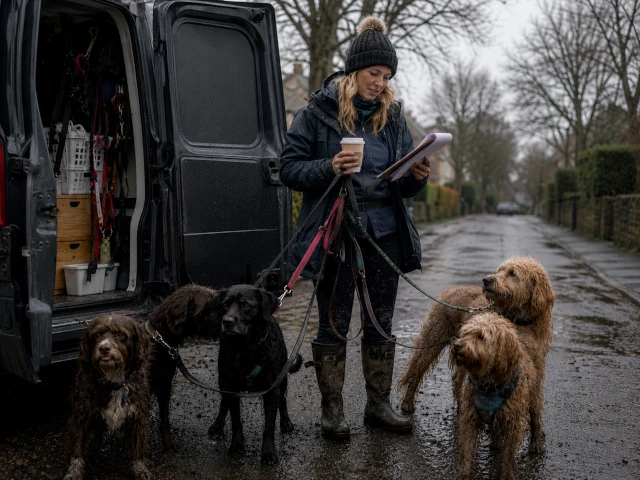
Quick comparison
- Paper diaries: Simple and cheap, but hard to manage as you grow.
- Spreadsheets: Flexible and organised, but still very manual.
- Calendars: Great for scheduling, but limited for client management.
- Dog walking software: Combines scheduling, automation, client management, invoicing and reminders, all in one place.
Read on to find out more.
Using a paper diary
A paper diary is often the first place dog walkers start when organising their business. It's simple, quick, and doesn't require any technical skills. A new enquiry comes in. Max wants a walk on Tuesday at 10am - write it down. A new client wants a meet and greet on Thursday at 3pm - write it down.
If you're like me, you like writing things down and making lists. It feels good to cross them off. You've achieved something.
You're on a walk with a regular customer and you get a phone call. A new booking. Where's my diary? In the van. How's my memory? We'll find out...
You get home that evening and remember you need to book in a walk - well done. You check your diary. Was it 10am or 11am? Was it Tuesday or Thursday? If you can't recall the conversation well enough, you're guessing, which can lead to mistakes.
You've had a message from another regular client. Can you walk their dog 2 hours later tomorrow? Yes, you can, but now you need to scribble out your previous entry and write in the new time. Quite quickly your diary becomes a mess of scribbled notes and crossings out.
Diaries are analogue. Old school. It's hard to make changes. There's no reminders. It's difficult to keep track of your schedule and quickly find information. And imagine if you lost your diary? All your bookings, client information, and notes gone. It's a nightmare.
Using a spreadsheet
If you like to be organised, you'll love a spreadsheet. They're flexible, easy to use, and can handle a lot of information. You can create different sheets for different clients, track bookings, and even calculate payments automatically. You're probably already using them in some way to manage your business.
They have the added benefit of being more portable. You can access your spreadsheets from your phone, tablet, or computer, making it easier to manage your business on the go. You can also share them with your team, so everyone is on the same page. No more scribbled notes in a diary that only you can read.
Need to reschedule a booking? Not a problem. A client has changed vets - not a problem. You can update their emergency contact information.
As your business grows, a spreadsheet can get overwhelming. Suddenly you have 50 clients to manage and one monster spreadsheet. Finding the information you need becomes difficult. Spreadsheets don't work very well on phones - they're difficult to navigate, so trying to make changes or find information while you're out and about is hard.
There's still no automation in a spreadsheet. It still relies on you making manual updates and keeping on top of everything. All it's done is move your diary from paper to digital. It's a step up, but it's not the solution.
Using calendars
Calendars are a great way to manage your schedule. They're visual, easy to use, and can be accessed from anywhere. You can create different calendars for different clients, services, or team members, colour-code entries, and you can easily see your schedule at a glance. You can also set up reminders and notifications, so you never miss a booking again.
You have better scheduling control and visibility, reducing the risk of mistakes and reducing some of the admin burden. It's easy to see where you need to be and when, move things around and make changes where necessary.
They work great on phones and tablets, so now you can really see and manage your schedule on the go.
However, you still need some way of storing client and pet information, and tracking payments and invoices. You still need a spreadsheet or a diary. You've improved your scheduling, but now your business information is spread across multiple tools and systems.
Dedicated software can also make your business feel more professional. Clients get clearer communication, booking confirmations, reminders, organised invoices, and confidence that their dog's care is being managed properly.
Using dedicated dog walking software to manage your business
Diaries, spreadsheets and calendars all have their place, but they all require large amounts of manual input. The hours you spend each night after a tiring, cold day of walks, writing and re-writing your schedules, updating notes, responding to clients, sending invoices, and chasing payments. The list is endless.
Dedicated dog walking software is designed specifically for managing dog walking businesses. It combines the best features of spreadsheets and calendars, while adding automation and other tools to make your life easier. You can manage clients, pets, bookings, invoices, payments, and more, all in one place.
Perhaps the biggest benefit is the time you'll save. By introducing technology into your business, you now have the opportunity to automate many of the processes you currently do manually.
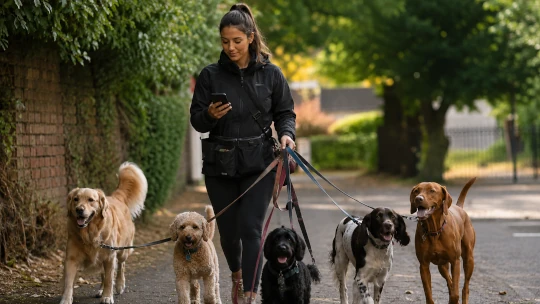
How long does it take to create an invoice at the end of the week? Check back through your diary to see how many walks you did for a client this week. Were there any additional services you provided that need to be included? Calculate all the prices. Write up the invoice and email it across. 30 minutes to 1 hour? And you need to do that for every client.
Imagine if you could click a few buttons, set a weekly/monthly schedule for invoicing, and have all your invoices created and sent to your clients automatically. You've saved yourself hours of admin work. Every. Week. That's the power of dedicated dog walking software. Not only is it more efficient, allowing you to spend more time doing what you love - walking dogs - you also have greater earning potential, which far outweighs the monthly cost of most software tools, and it saves you from the stress and worry of all that admin that you hate doing. It's a no-brainer.
Do you get clients forgetting their appointments or payments? Set up automatic reminders to be sent, so they never miss an appointment again, and you don't have to keep chasing them for payment. Life is hectic. Most people just forget, and a gentle reminder is often all they need. Again, it's all automated, reducing your admin work and stress.
This kind of automation can be applied to all aspects of your dog walking business. You miss a call from a new client wanting to book a walk because you're out on a walk. Not a problem. If you have software that allows clients to book themselves, you still generate bookings and income, even when you're not available.
All of your client and pet information is stored in the cloud, so you can access it from anywhere, at any time. A client's emergency contact details, a pet's medical notes, and other important information, is always just a few clicks away.
There's nothing wrong with starting with a diary, spreadsheet, or calendar. Most dog walkers do. When you're starting out, simple systems often make the most sense.
But as your business grows, the systems that once felt manageable can quickly become stressful, time-consuming, and difficult to keep on top of.
Conclusion
The best system depends on the size of your business and your goals. Once the level of admin gets too much and takes a lot of mental energy, you start to burn out and get frustrated. Dedicated dog walking software can take that load off your plate, give you your energy back, make you more efficient and profitable, and get you enjoying running your business again.
You didn't get into this game for the admin.
Just like hiring an assistant, dog walking software could be the best employee you'll ever have.
Stop juggling diaries, spreadsheets, and calendars
Manage bookings, clients, schedules, reminders, and invoices in one place with Leadr.
Start saving timeGet more tips in your inbox
Subscribe to our newsletter for practical guides and advice to help you grow your dog walking business.
Related posts
08 October 2026
How dog walkers can manage bookings without stress
Learn how to manage dog walking bookings, clients, pets and invoicing with a simple process designed to reduce admin and keep your business organised.
26 June 2026
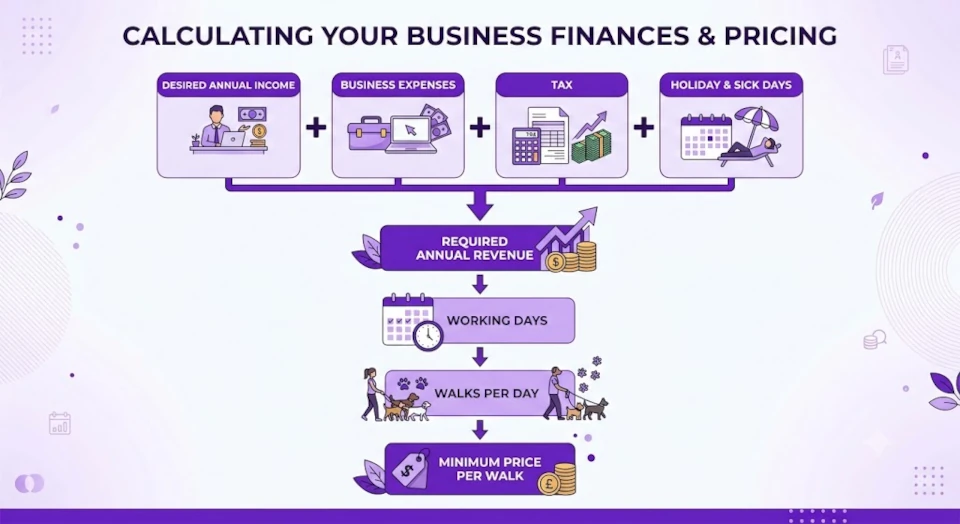
Dog walking pricing guide: How much should you charge?
Not sure what to charge for dog walking? Learn how to calculate profitable rates, cover your costs, avoid common pricing mistakes, and attract the right clients for your business.
27 April 2026
The true cost of a missed booking and how to prevent it
Missing a dog walking booking can cost more than just one walk. Learn the real impact on your business and how to prevent it with a simple system.