Simple invoicing for busy dog walkers
Turn your bookings into professional invoices in just a few clicks.
Create invoices directly from your bookings, review and edit every detail, then send professional invoices straight to your clients.
No credit card required.
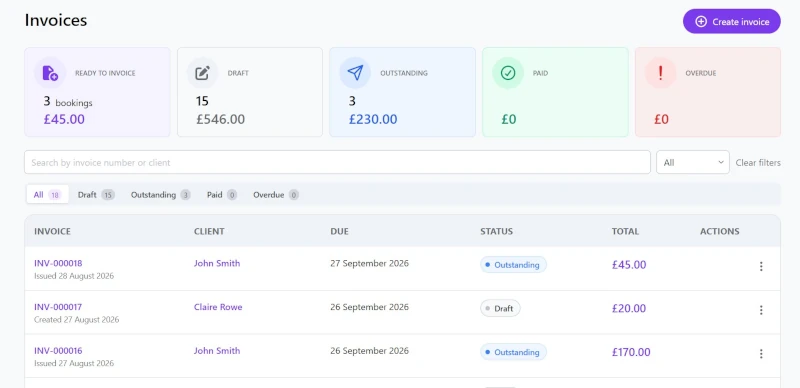
Stop piecing together your invoices
You've already done the work. Your bookings know what service you provided, when you provided it, who it was for and how much it costs.
You shouldn't have to dig through calendars, spreadsheets and messages to turn that information into an invoice.
Leadr brings your bookings and invoicing together.
Create. Review. Send.
Take the hassle out of invoicing
Everything you need to create, manage and send invoices - without the spreadsheets.
Create from bookings
Turn completed bookings into invoices without entering everything again.
Track invoice status
See what's ready to invoice, outstanding, paid or overdue.
Review and edit
Add or remove line items, adjust quantities and change pricing before sending.
Look professional
Send clear, professional invoices directly to your clients.
From bookings to paid invoices, keep everything organised in one place.
Your bookings. Your invoices. Connected.
No copying booking details into another system. No working through your diary at the end of the month.
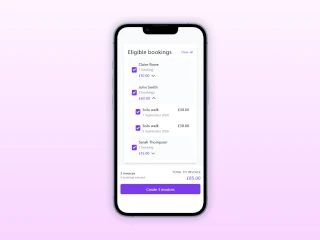
Create an invoice directly from the bookings you've already recorded in Leadr. Your client, services, dates, quantities and pricing are brought together so you can create an invoice without starting from scratch.
Create invoices in a few clicks
Select the bookings you want to invoice and let Leadr do the rest.
- Create invoices directly from your bookings
- Group bookings by client
- See and edit exactly what's being included before you send
Less admin. Fewer mistakes. More time doing what you do best.
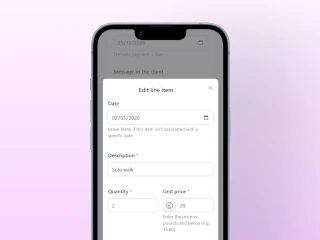
Review every detail before you send
Leadr gives you a head start, but you're always in control. Review your invoice and make changes whenever you need to.
Make changes when you need to
- Add or remove line items
- Adjust quantities
- Change pricing
- Make one-off adjustments
Whatever the reason, you can edit the invoice before sending it.
Create quickly. Check everything. Send with confidence.
Know where your invoices stand
No more wondering which clients you've invoiced, which invoices are still outstanding or whether you've already been paid.
Your invoice list gives you a clear overview of your billing at a glance, so you can quickly see what needs your attention.
Ready to invoice
£480.00
Draft
£180.00
Outstanding
£360.00
Paid
£840.00
Overdue
£120.00
Find the invoice you need without searching through emails, spreadsheets or old messages.
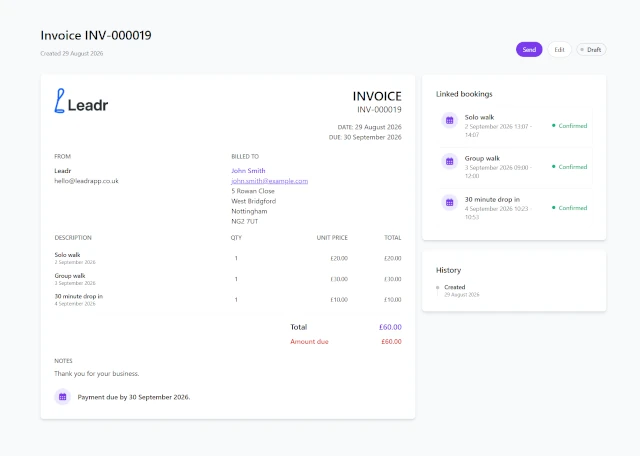
Professional invoices, ready to send
Leadr creates clear, professional invoices containing the information your clients need, without you having to design documents or format spreadsheets.
Ready to send
When your invoice looks right, send it directly to your client.
- No exporting files
- No copying details into an email
- No switching between different tools
Just a professional invoice, ready for your client.
From booking to invoice
Turn the bookings you already manage into professional invoices in just a few simple steps.
Book
Record your client's bookings.
Create
Turn your bookings into an invoice.
Review
Check and adjust the details.
Send
Send your professional invoice to the client.
Track
Keep an eye on invoice status.
Frequently asked questions
Can I create an invoice from my dog bookings?
Yes. Leadr lets you create invoices directly from your existing bookings, making it easier to invoice clients without manually entering every service.
Can I edit an invoice before sending it?
Yes. You can review your invoice and add or remove line items, adjust quantities and change pricing before sending it to your client.
Can I send invoices directly to clients?
Yes. Leadr lets you send professional invoices directly to your clients.
Can I mark invoices as paid?
Yes. Leadr lets you record payments against your invoices, so you can keep track of what has been paid and what is still outstanding.
Can I see which invoices are outstanding?
Yes. The invoice listing lists all your invoices and gives you an overview of their status so you can quickly see which invoices need your attention.
Is Leadr invoicing software for dog walkers?
Leadr is designed specifically for dog walkers and pet care businesses, combining invoicing with the bookings, clients, pets, services and payments you already manage in your business.
Your bookings are done. Let Leadr handle the invoice.
Spend less time creating invoices and more time doing what you love.
Start for free